 Français




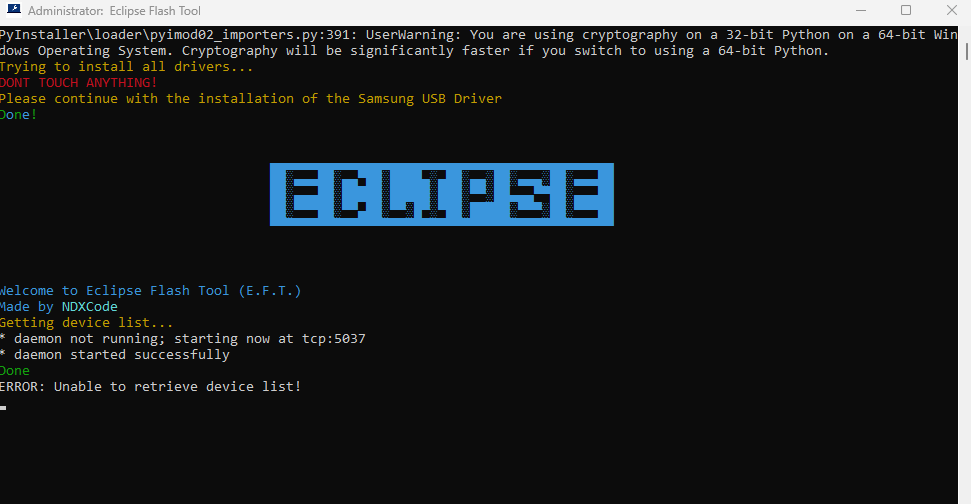
⚙️ Eclipse Flash Tool v1.10 x86 — Lightweight Firmware Flashing & Unbrick Utility
Eclipse Flash Tool v1.10 x86 is a compact, fast, and reliable firmware flashing and device recovery tool tailored for technicians and advanced users working with x86 Windows systems. It focuses on safe firmware flashing, unbricking, and low-level partition operations for a wide range of Android devices and chipsets.
💡 Key Features
-
✅ Firmware Flashing — Flash stock and custom ROMs reliably on supported devices
-
✅ Unbrick & Boot Repair — Recover devices stuck in bootloops or logo screens
-
✅ Partition Read/Write — Read/write critical partitions (boot, system, recovery, userdata)
-
✅ Backup & Restore — Create and restore full firmware backups before operations
-
✅ Fast Device Detection — Rapid detection and chipset identification (Qualcomm, MediaTek, SPD)
-
✅ Compatibility Helpers — Helper modules for SP Flash Tool, QFIL, Odin where applicable
-
✅ One-click Flash Profiles — Save and reuse flash configurations to speed repeat jobs
-
✅ Lightweight x86 Build — Optimized for 32-bit Windows environments with minimal resource use
-
✅ Offline Operation — Fully functional after installation without internet access
🖥️ System Requirements
-
OS: Windows 7 / 8 / 10 (32-bit / x86) — compatible with 64-bit where 32-bit support is enabled
-
CPU: 1 GHz or faster (dual-core recommended)
-
RAM: Minimum 2 GB (4 GB recommended)
-
Disk Space: 200 MB free (additional space for backups)
-
Privileges: Administrator rights required
-
Drivers: Proper USB/ADB/fastboot drivers installed for target devices
🔑 Version Highlights (v1.10)
-
• Improved flash engine stability and faster partition writes
-
• Enhanced detection for newer device firmware formats
-
• Safer backup/restore workflows to reduce flash failures
-
• Minor bug fixes, UI polishing, and performance tweaks
🌐 Internet
Not required after installation — fully offline supported
📁 Package Info
Password: www.androidfilehost.net




 Home
Home  Browse Devices
  Browse Developers
  Account
Reviews
There are no reviews yet.